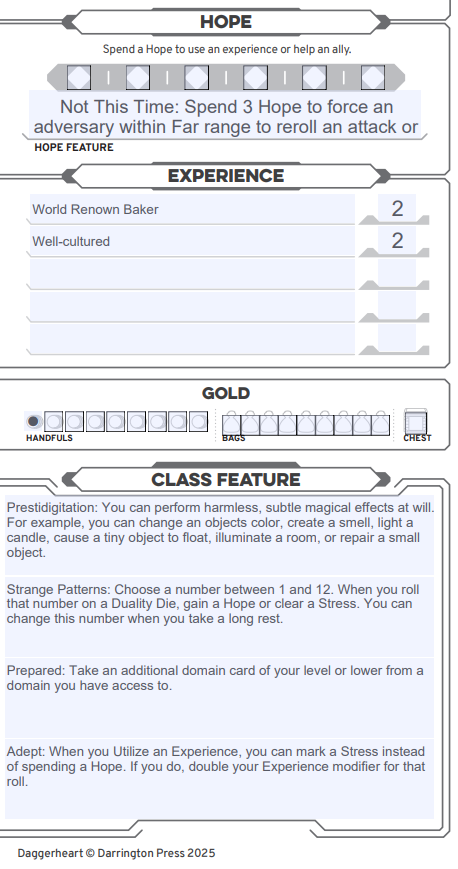
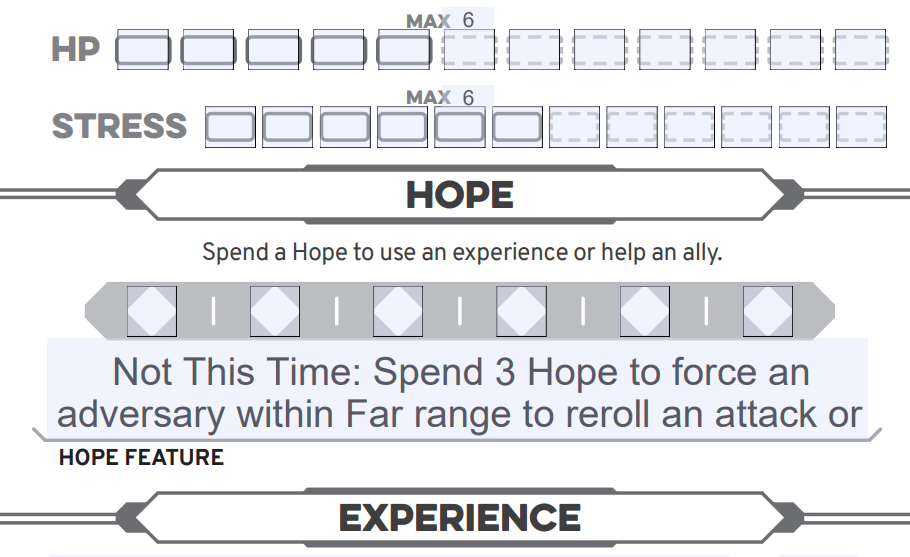
The formatting for the Hope Feature has it get cut-off. This is making my newer players forget their hope ability. Please reduce the text size so the Hope Feature is legible.
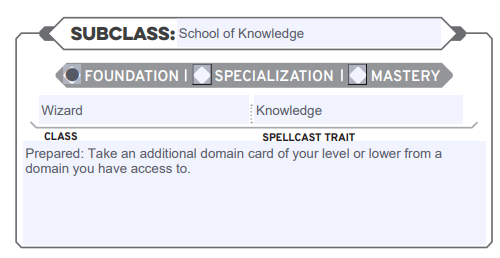
Additionally, Subclass Features are not properly listed. They appear in the ‘Class Features’ section on the main page (this causes issues as its harder to read than the standard character-specific pages with the larger text. Also not all the Subclass Features appear in the ‘Subclass Features’ section. For example, it shows the Prepared feature of Knowledge Wizard but not Adept.
1 Like
This is how it looks on Demiplane. When printed out, it gets cut off exactly how it appears.
This section should show both Prepared and Adept, but it only shows Prepared.
this issue still hasnt been addressed
1 Like
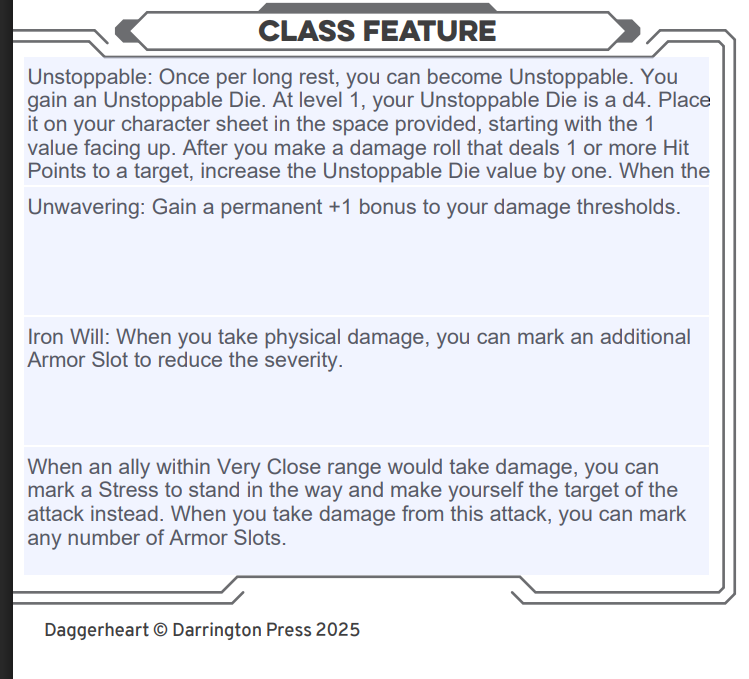
Yeah, the “Class Features” section needs work on this. For my Guardian Stalwart, under “class features,” it gives
instead of just letting me have my whole window for stating the class feature in the class feature window.
I don’t need a scrollable window in my printed pdf, that’s useless. I need to be able to read the whole class feature. I also don’t need my domain card abilities listed under class features because I’ve printed my domain cards separately, and I don’t need my damage threshold bonus printed there because it’s included in my threshold calculation. This is very annoying and means I have to whip out my phone at the table every time I need to read my class feature.
1 Like
ITS FIXED FINALLY
At least for the Hope Feature section.