this is on Chrome. I can’t adjust the levels of any characters in the character editor- they are all stuck at the current level.
Hi James, I’m sorry to hear you’re experiencing that.
Is this on a character made in the beta for Daggerheart (before last Tuesday), or made after the May 20th launch?
Both? I saw it on an “old” character- not sure if it was created during the beta. I then deleted the character and created a new one, but cannot adjust the level (I see the dropdown, but it won’t let me change it).
Thank you for the information! Could you drop me a link to one of the characters this is occurring on for you? Additionally if you can let me know the device(s) you’re using.
I am on Windows 11 using Chrome. I deleted all the site cookies, and am still seeing the issue there. I also just updated to the most recent version:
Version 137.0.7151.56 (Official Build) (64-bit)
Still see the issue.
I fired up “Microsoft Edge”, and I am able to use the drop down, so it seems to be chrome-specific.
also- I see I neglected to give a link:
https://app.demiplane.com/nexus/daggerheart/character-builder/8027423b-85b0-4bef-b7f1-7bfa2d6e734c
Trying to change the character level from “6”- the dropdown does not work in Chrome.
I’m having similar/same problem.
When I look at my list of characters, my Bard is listed “LVL 2 BARD TROUBADOUR”, which is accurate, but when I open the character sheet the level displayed in the upper right is “1”. Looking over the sheet, everything seems to be in order (other than the displayed level), but admittedly, I’m not familiar enough with all the details to be 100% sure. Regardless, I thought I’d report the inconsistency, as clearly something’s off.
Link to character: Character Sheet - 890c876a-ade4-416a-8875-c78ad46bddae | daggerheart | Demiplane
Using Windows 11 PC, on Firefox browser.
I see it says Level 2 now so it looks like this was resolved. If not and you’re still having trouble please feel free to let me know and I’ll take a look at what’s going on.
I am also unable to level up my character. Delta - Daggerheart Character Sheet
Fedora 43, Firefox. When I click on level in the top right it only gives me a notes section and a link to the rules on leveling up in Daggerheart.
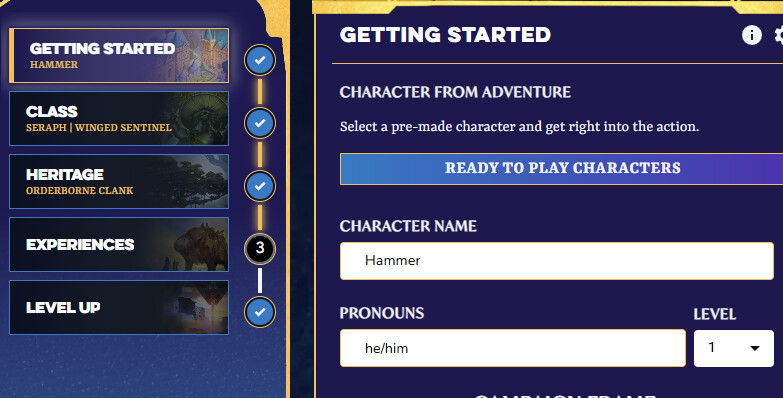
You need to go to the character builder to level your character up. In the builder, on the Getting Started tab, change your level, then on the Level Up tab, make any changes.
The character editor doesn’t work because this is literally a scam
Not a scam. Just not to your liking.
1 Like