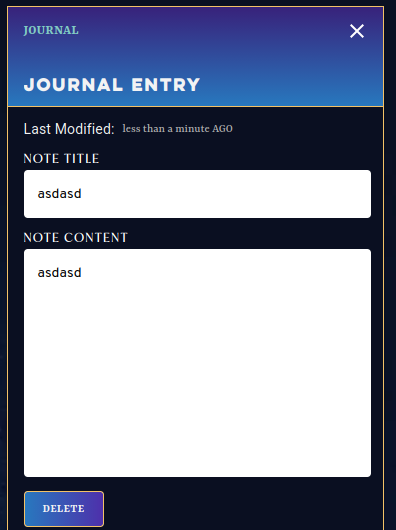
I seam to have made a change to my display options that make my personalized notes invisible (unless I go in and highlight the text with my cursor). How can I make my text in white or shift the background to white?
I’ve been having the same issue and can’t find a fix for the life of me. I’ve tried everything from clearing my browser’s cache and cookies to changing the theme. There seems to be no fix at the moment unfortunately.
1 Like
Same problem, cannot read my journal for session recaps. The font for journal is now black on black.
Same here. I sent a report to Demiplane, but I don’t if and when I’ll hear anything back.
1 Like
Thanks for letting us know about this. I’m currently looking into why those personalized notes have suddenly disappeared. Would one of y’all be able to provide me with a link to your character sheet so that I can take a closer look?
I’m having this issue too. It also happens with the Dice Roller bonus modifier text:
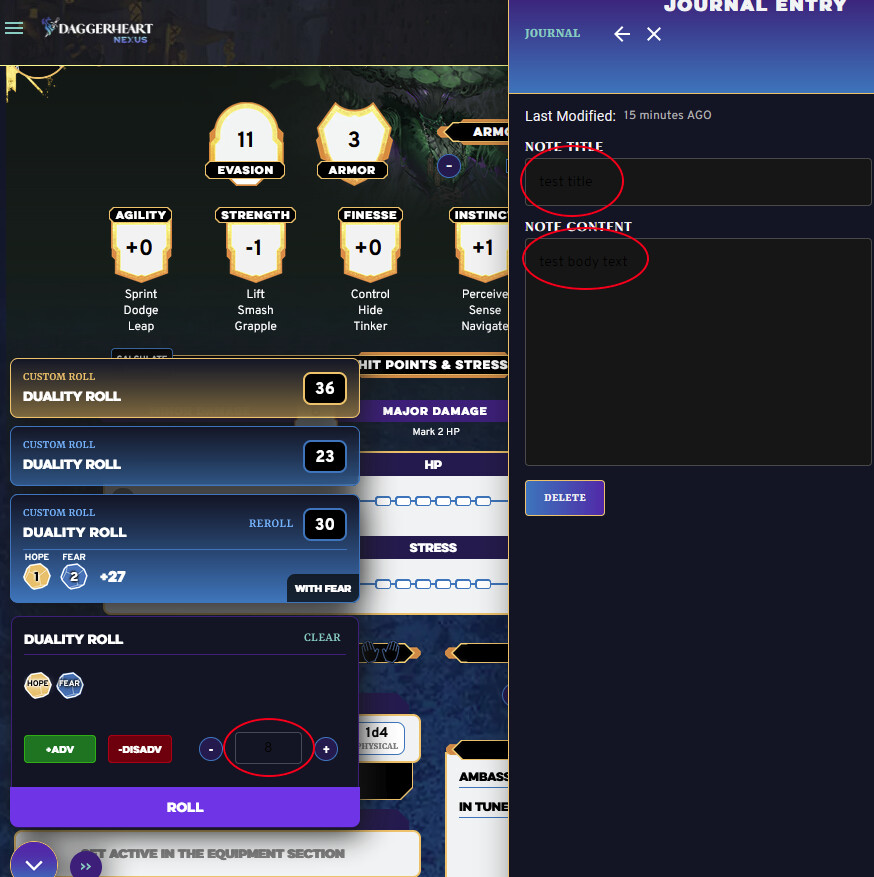
A link to my character sheet 
A thing to note:
I’m using Firefox on Windows 11.
Not sure if that matters.